product2 min read
Announcing DocumentDB support: an Open Source MongoDB compatible Database
At Adiom, we firmly believe in the power of true Open Source Software to advance the ecosystem and enable unhindered innovation.
MongoDB to DocumentDB
Use Dsync to move from MongoDB to Azure DocumentDB while production keeps serving. DocumentDB is open source and MongoDB-compatible, so the application usually does not change.
Azure DocumentDB is an open-source, MongoDB-compatible database built on PostgreSQL, with the MongoDB wire protocol and query language implemented as extensions. Microsoft runs it as the managed service previously branded Cosmos DB for MongoDB vCore, it can also be self-hosted, and since the project moved under the Linux Foundation the compatibility gap has been closing quickly. It is still a different engine underneath: storage, indexing and transaction behavior are PostgreSQL's, and a few MongoDB features — some aggregation stages, certain index types, particular write-concern semantics — are either implemented differently or not yet at all.
That is what makes the migration a validation exercise as much as a data movement one. The safe sequence is to stand up DocumentDB, replicate production into it continuously, and run the application's real query load against the replica while MongoDB remains the system of record — which surfaces any incompatibility with real data and real traffic rather than a test fixture. Dsync provides the continuous replication: a parallel, resumable initial copy followed by oplog tailing, with verification comparing the two sides as it goes, in a single process with no broker or staging in the data path.
Because DocumentDB is supported as a source as well, the same setup works in the other direction. Teams use that to keep MongoDB current for a period after cutover so the back-out is a reversal rather than a restore, and to move between the managed and self-hosted forms of DocumentDB later without a second migration project.
dsync $MONGO $DOCUMENTDBSee it running
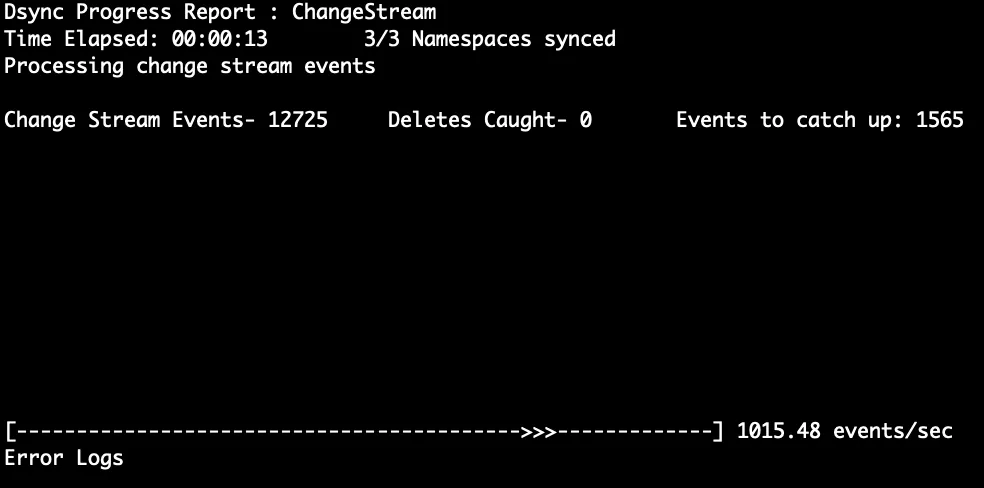
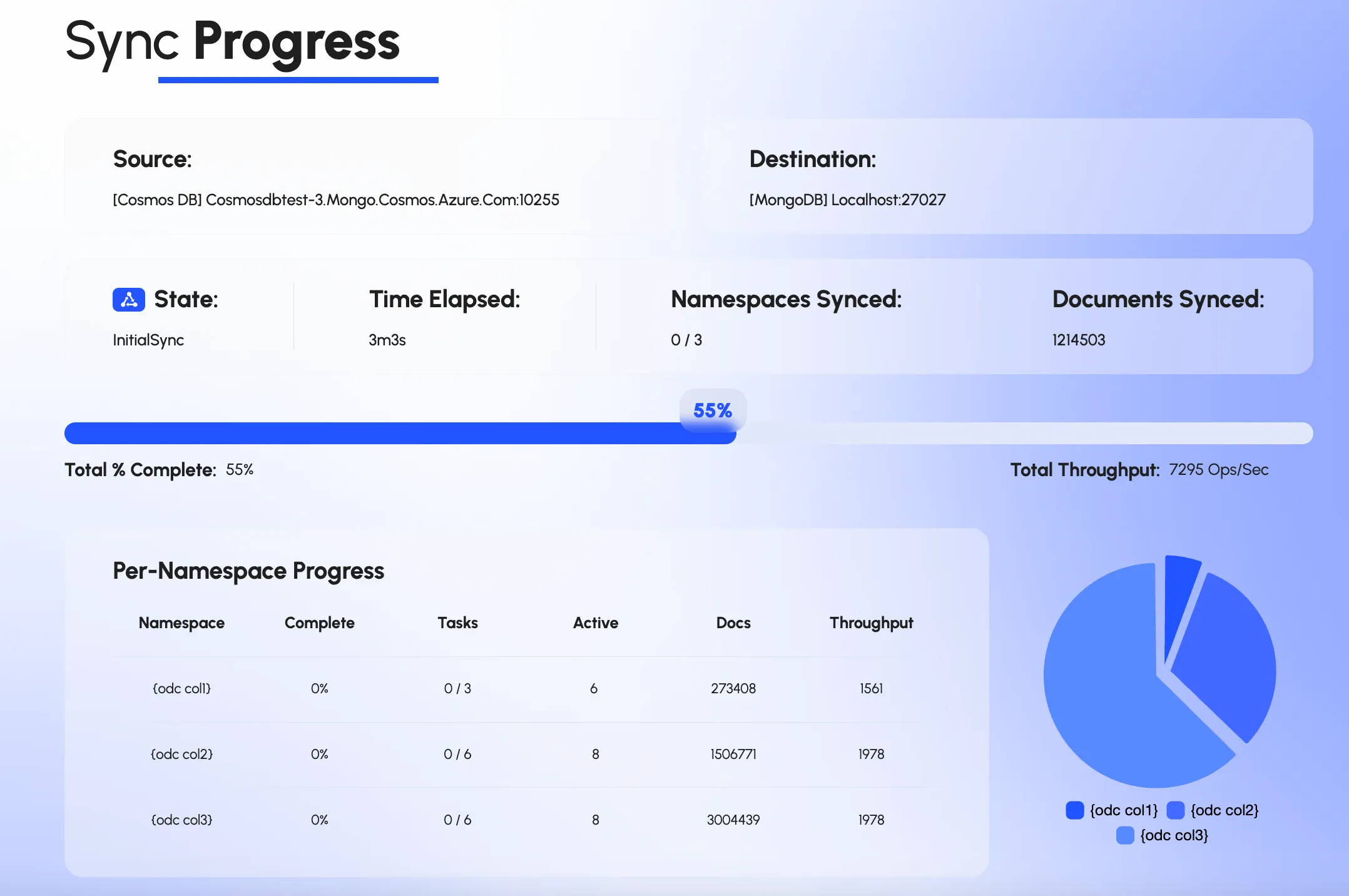
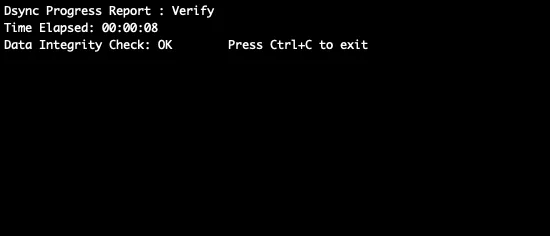
Not a mockup. The command line, the web UI and the integrity check, from a real run.
Proof
“The Adiom components, particularly dsync, worked extremely well for us and gave us all the peace of mind to confidently proceed with the cutover.”
Azure DocumentDB is an open-source, MongoDB-compatible database built on PostgreSQL, now a Linux Foundation project. Microsoft's managed offering of it is what used to be called Azure Cosmos DB for MongoDB vCore, and the open-source build can be self-hosted. It is a different engine from Cosmos DB for MongoDB RU, the older request-unit-based service, and the two have different compatibility profiles.
Yes. The initial copy reads from MongoDB in parallel while the oplog carries every write made during it, and the application keeps using MongoDB until you cut over. Nothing has to be frozen.
Replicate into DocumentDB continuously and run your real workload against it while MongoDB stays the system of record. Any unsupported operator, index type or behavioral difference shows up against production data and traffic instead of in a test suite. The migration only proceeds to cutover once that passes.
No. Dsync moves the data, not the index definitions, so indexes can be created on DocumentDB before, during or after the copy, by hand or with a script run against the source's index list. That is worth doing deliberately anyway: not every MongoDB index type has an identical DocumentDB equivalent, and DocumentDB's PostgreSQL-based storage can favor different choices, so review the index set as part of the validation run.
Yes. DocumentDB is supported as a source as well as a destination, in both its managed and self-hosted forms, so the same tool runs in reverse for a back-out and moves data between DocumentDB deployments.
This page is about Azure DocumentDB, the open-source MongoDB-compatible project. Amazon DocumentDB is a different, AWS-proprietary service, but Dsync supports it too as a source and a destination through its MongoDB connector, so a migration in either direction runs the same way.
product2 min read
At Adiom, we firmly believe in the power of true Open Source Software to advance the ecosystem and enable unhindered innovation.
guides2 min read
This is a slightly modified version of the article on FerretDB's blog. FerretDB is an open-source alternative and a drop-in replacement for MongoDB.
Tell us your MongoDB deployment and target, and we will map the path.
We use cookies to measure how the site is used. Analytics and advertising cookies stay off until you accept. See our privacy policy.